#1 AI-native partner management, integrated with your CRM
Go beyond the partner portal.
Automate the full partner journey, connected with your CRM.
How does it work?
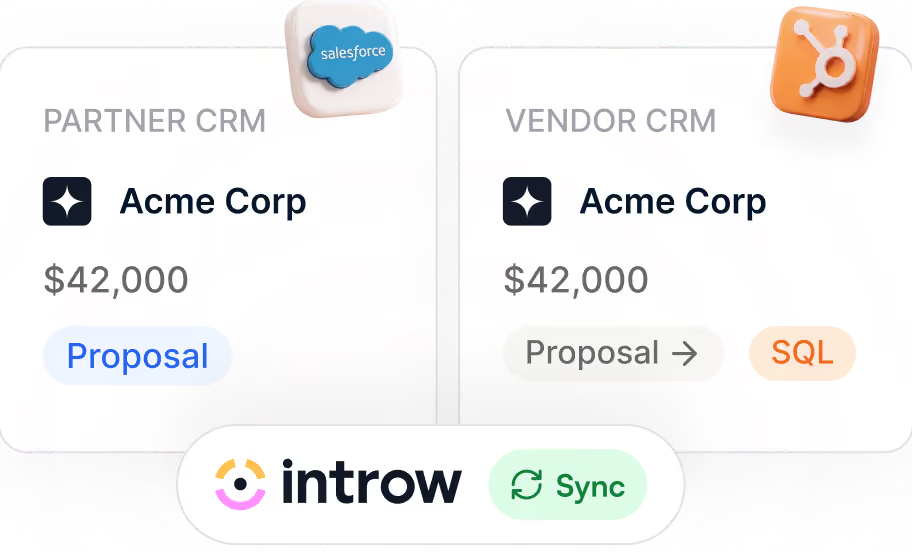
Connect your CRM & Other data sources
.avif)
Launch your partner portal in minutes

Increase partner revenue on autopilot
.avif)
The Product
Your one-stop shop for partnerships
Partner Management

Partner Engagement

Partner Portal

AI Agent

Enable Partners with Content

Deal and lead registration

Boost Partner Engagement
on Autopilot
Forget about manually updating partners about deals, product updates and more. Drive engagement on autopilot


Deal Collaboration on Autopilot
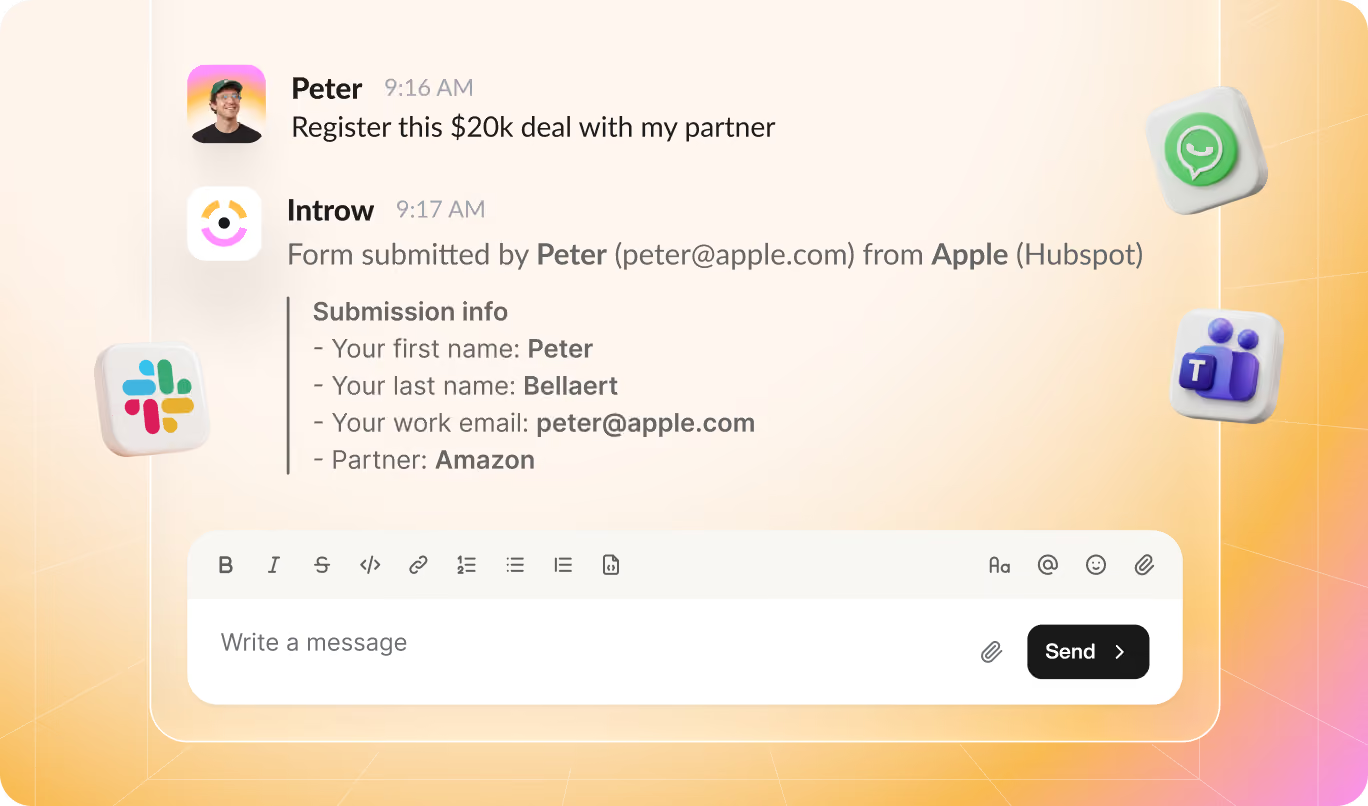
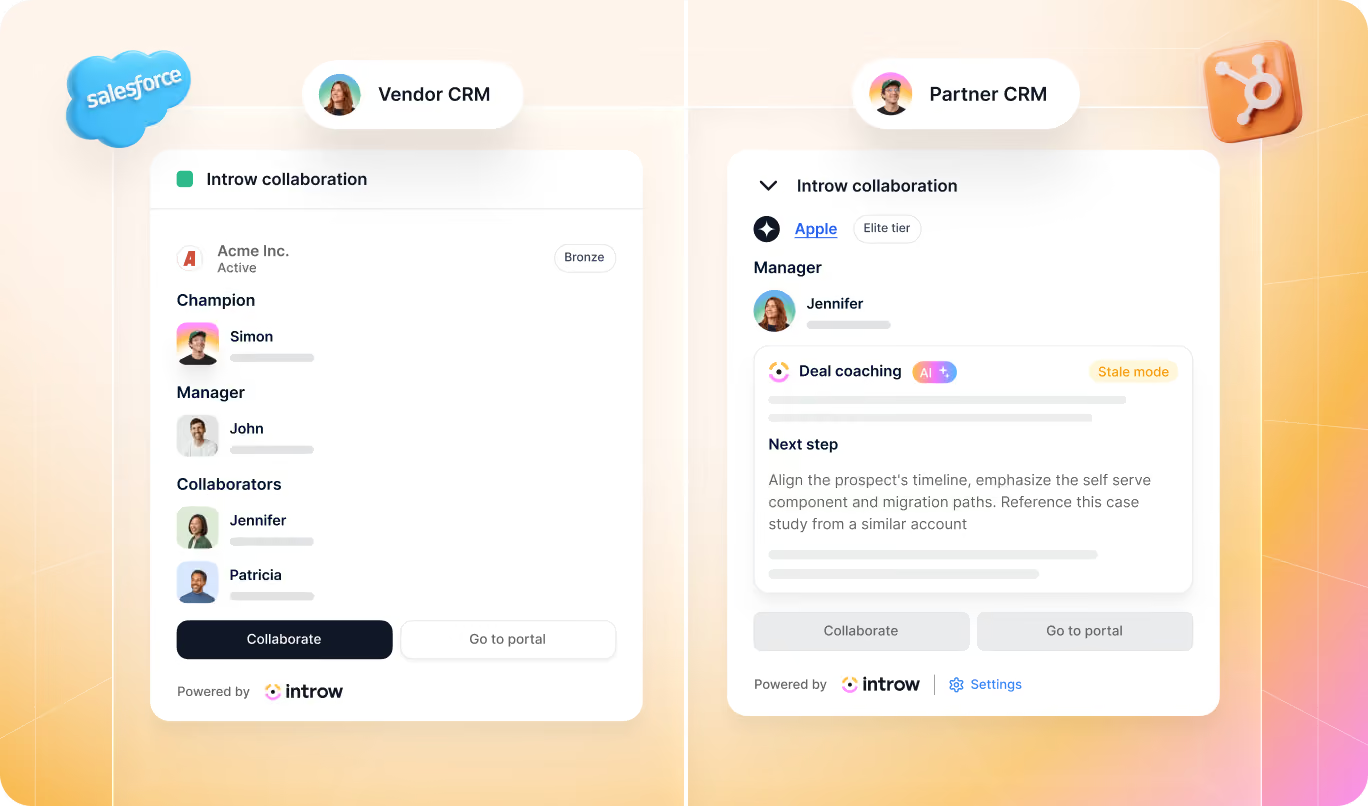
You don’t want to invite partners into your CRM. Allow resellers to manage their own deals, and send automated deal updates to referral partners. Keep your partners in the loop without the manual work.
Add content to your partner portal and leverage your existing tools
Seamlessly integrate videos, documents, next steps, and real-time CRM components. Empower partners with the right information at the right time, using your existing tools.

“Introw replaced our old PRM with something much simpler and more effective. Saving us time and keeping everyone on the same page.”

“Finally a tool that streamlines partner collaboration in a scaleable way.”

“Introw replaced our old PRM with something much simpler and more effective. Saving us time and keeping everyone on the same page.”
Seamless collaboration throughout the entire partnership journey
Referral
Resellers
MSP
Distributors
System integrators
Integration partners
Read our latest news
The 13 Best AI Sales Coaching Software Tools for Partner and Channel Sales in 2026
AI sales coaching software helps your reps and partners move deals forward with clear next steps, objection support, and the right content at the right time. But tools coach in different ways. Some analyze call recordings after meetings. Others simulate practice conversations. A smaller group delivers guidance directly inside active deals where progress actually happens. You'll compare the best AI sales coaching software across five categories: conversation intelligence, AI roleplay, sales enablement, sales training, and partner or channel deal coaching. Use the buyer checklist to choose the right fit for your team.
What is AI sales coaching software?
AI sales coaching software helps your team improve how they handle deals, sales calls, and buyer conversations by providing guidance while work is happening, not just after the fact. It uses sales coaching AI to surface next steps, suggest responses to objections, and highlight what’s most likely to move a deal forward.
The category has expanded quickly since 2024, and today, an AI sales coach isn't just one type of tool. It covers several different approaches to coaching sales reps across the full sales cycle.
Here are the five main categories you need to know before choosing a solution:
| Category | What it does |
|---|---|
| Conversation intelligence and call coaching | Analyzes call recordings and customer calls to improve future sales conversations and identify risks or missed opportunities. |
| AI roleplay and practice tools | Simulates buyer scenarios so reps can practice responses and build confidence before real customer interactions. |
| Sales enablement with coaching features | Surfaces relevant content and guidance during live deals to support better decisions in the moment, often alongside workflows that enable partners with content. |
| Sales training software and LMS tools | Delivers structured learning, tracks skill gaps, and supports consistent training across sales teams. |
| Partner and channel deal coaching | Guides external partners through active opportunities with stage-based support delivered directly inside deals through deal coaching. |
Most “best sales coaching software” lists only compare conversation intelligence and roleplay tools. But teams working in indirect revenue models or partner sales need visibility into partner and channel deal coaching as well. Understanding all five categories makes it easier to choose the right sales coaching platform for your business.
AI sales coaching software comparison table
This table compares leading tools across the five coaching categories so you can quickly see where each one fits and whether it supports internal reps, external partners, or both.
| Tool | Category | Timing | CRM integration | Internal reps | External partners | Pricing |
|---|---|---|---|---|---|---|
| Introw | Partner & channel deal coaching | Real-time | Salesforce, HubSpot | Yes | Yes | Custom SaaS subscription |
| Gong | Conversation intelligence & call coaching | Post-call | Salesforce, HubSpot, others | Yes | No | Per-user enterprise |
| Chorus | Conversation intelligence & call coaching | Post-call | Salesforce, HubSpot | Yes | No | Per-seat subscription |
| Clari Copilot | Conversation intelligence & deal inspection | Post-call | Salesforce | Yes | No | Enterprise subscription |
| Avoma | Conversation intelligence & call coaching | Real-time + post-call | Salesforce, HubSpot | Yes | No | Tiered per-user |
| Second Nature | AI roleplay & practice | Simulation | Salesforce, LMS | Yes | No | Per-user subscription |
| Quantified | AI roleplay & practice | Simulation | LMS & CRM connectors | Yes | No | Custom enterprise |
| Allego | Sales training & LMS | Post-session | Salesforce, MS Dynamics | Yes | No | Enterprise subscription |
| Mindtickle | Sales training & LMS | Post-session | Salesforce, Sales Cloud | Yes | No | Enterprise subscription |
| Highspot | Sales enablement with coaching | Real-time content | Salesforce, HubSpot | Yes | No | Tiered subscription |
| Seismic | Sales enablement with coaching | Real-time content | Salesforce, other CRMs | Yes | No | Enterprise subscription |
Most tools support internal sales teams only, so if your partners help close deals, you’ll need software built to coach them inside real pipeline activity, not just review calls after the fact.
The 13 best AI sales coaching software tools in 2026
Here’s how the leading AI sales coaching tools compare across the five main categories buyers should evaluate today.
Category 1: partner and channel deal coaching
This is the newest and fastest-growing category of AI-powered sales coaching. These tools guide external partners on live opportunities inside the environments they already use, including partner portals, Slack, and email, so coaching happens while deals are moving instead of after they stall. They’re best for companies that sell through resellers, referral partners, distributors, or ecosystem programs and want to improve partner close rates without adding more partner managers.
#1 Introw – Best for AI deal coaching in partner and channel sales

What it does:
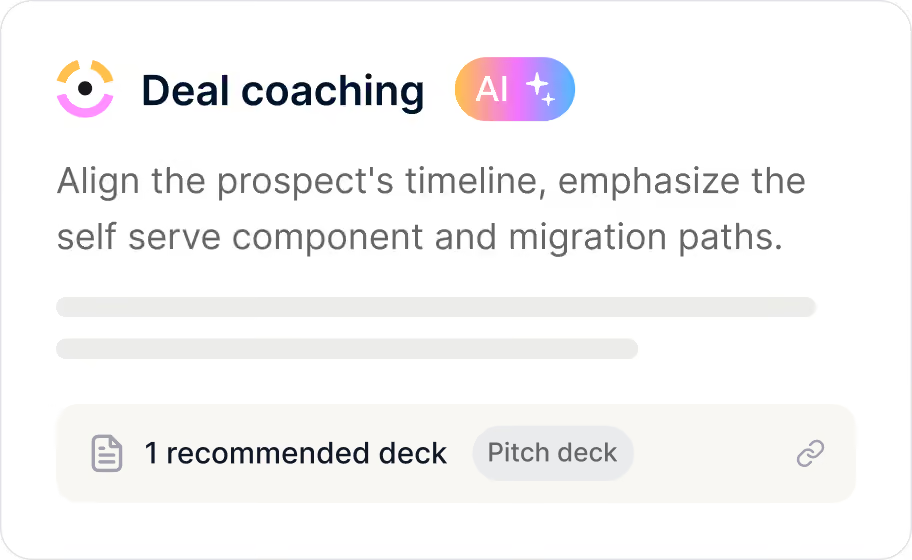
Introw is the only PRM with built-in AI deal coaching that creates a dedicated AI sales coach for each pipeline, such as reseller, referral, or co-sell. That means every partner deal gets stage guidance, objection handling, asset recommendations, and rules of engagement automatically inside the deal itself through deal coaching.
Who it’s best for:
B2B companies that rely on partners, resellers, or ecosystem motions and want partner-sourced pipeline to close more like direct pipeline without hiring more partner managers.
Key features:
- Dedicated AI coach per partner segment with templates for reseller, co-sell, and referral motions
- Stage guidance that tells partners what to do next at each deal step
- Context-aware objection handling based on deal stage and engagement signals
- Asset recommendations surfaced inside the opportunity when partners need them
- Rules of engagement that clarify when to involve your internal team
CRM integrations:
Works with HubSpot and Salesforce.
Pricing:
Custom pricing from Starter to Enterprise based on the number of seats and configuration, and you can start for free.
Category 2: conversation intelligence and call coaching
These sales coaching tools record and analyze sales calls, then turn those conversations into coaching insights your sales managers can use to coach sales reps more consistently. They’re best for internal sales teams that want better visibility into sales conversations, rep performance, and patterns across customer interactions.
#2 Gong – Best for revenue intelligence and call pattern analysis

What it does:
Gong records and analyzes customer calls, meetings, and emails to surface patterns that affect deal outcomes. It helps sales leaders understand what top performers do differently and uses conversation intelligence to highlight risks, competitor mentions, and coaching opportunities across the sales cycle.
Who it’s best for:
Mid-market and enterprise sales teams that run high volumes of sales calls and want data-driven insights to improve team performance.
Key features:
- Call recordings with speech and sentiment analysis
- Pipeline risk alerts and deal insights based on conversation patterns
- Manager dashboards that support structured coaching feedback
CRM integrations:
Works with Salesforce, HubSpot, and other major sales cloud environments.
Pricing:
Custom pricing, typically reported between $100 and $150 per user per month depending on contract size and feature access.
Partner/channel gap:
Gong is designed for internal sales professionals using company-managed meeting tools. Partners usually sell independently, which limits how often they appear in recorded workflows that support channel partner sales enablement or structured co-selling.
#3 Chorus by ZoomInfo – Best for call coaching inside the ZoomInfo ecosystem

What it does:
Chorus by ZoomInfo captures sales conversations and turns them into coaching cues using artificial intelligence. It highlights talk ratios, objection-handling moments, and deal risks so sales managers can deliver more consistent coaching across customer calls.
Who it’s best for:
Sales teams already using ZoomInfo that want AI coaching tools connected to prospecting intelligence and enrichment data.
Key features:
- Call recording with AI-generated summaries and coaching cues
- Conversation analytics tied to ZoomInfo contact and company data
- Performance analytics that help identify skill gaps across teams
CRM integrations:
Integrates with Salesforce and HubSpot for pipeline visibility and activity capture.
Pricing:
Bundled within ZoomInfo platform subscriptions with custom pricing based on package level.
Partner/channel gap:
Like most AI sales coaching tools in this category, Chorus depends on recorded meetings inside your stack. That makes it harder to support distributed partner ecosystems where deals often happen outside internal call tracking environments.
#4 Clari – Best for pipeline forecasting with coaching signals
.png)
What it does:
Clari is a revenue platform that combines forecasting, pipeline inspection, and activity capture to generate coaching signals from sales data rather than only analyzing call recordings. It helps sales leaders identify deal risks earlier and supports more accurate planning across enterprise sales teams.
Who it’s best for:
Revenue leaders and sales managers focused on forecast accuracy, pipeline health, and predictable revenue growth.
Key features:
- Forecast modeling based on pipeline movement and activity capture
- Deal inspection workflows that highlight performance improvement opportunities
- AI-driven insights connected to pipeline coverage and execution
CRM integrations:
Primarily integrates with Salesforce and related revenue infrastructure tools.
Pricing:
Custom enterprise pricing based on deployment scope and forecasting modules.
Partner/channel gap:
Clari focuses on internal pipeline visibility rather than external partner execution. It doesn’t provide coaching inside partner workflows such as shared deal registration processes supported by deal registration or distributed partner deal collaboration.
Category 3: AI roleplay and practice
These AI coaching tools simulate sales conversations so reps can practice objection handling, discovery calls, and positioning in a safe environment. They’re best for onboarding new reps and reinforcing consistent messaging before live customer interactions.
#5 Second Nature – Best for AI-powered sales roleplay simulations
.png)
What it does:
Second Nature creates AI-powered sales roleplay simulations where reps practice conversations with a virtual buyer that responds in real time. The platform scores performance and highlights areas for improvement so teams can run targeted training at scale.
Who it’s best for:
Sales enablement teams running onboarding programs, product launches, or messaging rollouts that require consistent training across distributed teams.
Key features:
- AI conversational roleplay simulations with adaptive buyer responses
- Performance scoring tied to predefined sales coaching techniques
- Custom scenario builder for product positioning and objection handling
CRM integrations:
Limited CRM integrations. Primarily used as a standalone sales training platform.
Pricing:
Custom enterprise pricing based on deployment scope and team size.
Partner/channel gap:
Can support partner training if partners log into the system, but it isn’t embedded in the deal flow or partner portal environments typically used for channel partner sales enablement.
#6 Hyperbound – Best for AI cold call and discovery practice
.png)
What it does:
Hyperbound simulates realistic cold call and discovery conversations using AI buyer personas that react dynamically during practice sessions. Reps receive instant feedback and scoring to help refine talk tracks and improve early-stage pipeline conversations.
Who it’s best for:
SDR and BDR teams focused on improving outbound performance and discovery call execution.
Key features:
- AI buyer personas designed for cold call and discovery practice
- Instant feedback with scoring across coaching moments
- Leaderboards that help managers track rep performance improvement
CRM integrations:
Minimal CRM connectivity. Designed primarily as a standalone AI sales training environment.
Pricing:
Typically starts around $40 to $60 per user per month depending on configuration.
Partner/channel gap:
Built for internal outbound teams rather than partner programs. It doesn’t support ongoing deal review workflows or structured partner enablement.
#7 Quantified – Best for AI avatar-based sales simulations
.png)
What it does:
Quantified uses AI-generated video avatars to simulate realistic buyer presentations so reps can practice delivery, positioning, and messaging before live meetings. The platform evaluates performance using AI feedback and benchmarking across teams.
Who it’s best for:
Enterprise sales teams focused on presentation readiness and improving messaging consistency across complex sales cycles.
Key features:
- AI video avatars that simulate live buyer presentation scenarios
- Messaging analysis aligned with your sales methodology
- Benchmarking dashboards that compare results across teams
CRM integrations:
Limited CRM integrations. Primarily deployed as a structured sales training software layer.
Pricing:
Custom enterprise pricing based on rollout scope.
Partner/channel gap:
Designed for structured training rather than live pipeline execution. It doesn’t support deal-level coaching or workflows connected to partner ecosystems such as those covered in this partner enablement guide.
Category 4: sales enablement with coaching features
These platforms manage sales content such as decks, battle cards, and playbooks, then add guided selling and coaching layers on top. They’re best for teams that want content control and contextual support in one system instead of separate sales coaching solutions.
#8 Highspot – Best for content management with guided selling
.png)
What it does:
Highspot is a sales enablement platform that manages content, training, and buyer engagement while adding AI-powered sales coaching tools like guided selling and content recommendations that support reps during live opportunities.
Who it’s best for:
Enterprise sales and enablement teams managing large content libraries that need structured guidance on what to send and when.
Key features:
- Centralized content management with usage tracking
- Guided selling plays aligned to a specific sales methodology
- AI content recommendations based on deal context
CRM integrations:
Integrates with Salesforce and Microsoft Dynamics.
Pricing:
Custom enterprise pricing based on deployment scope and content volume.
Partner/channel gap:
Includes some partner content sharing workflows, but coaching is primarily designed for internal sales teams rather than embedded channel sales enablement across partner-managed deals.
#9 Showpad – Best for sales content and coaching in one platform
.png)
What it does:
Showpad combines sales content management with interactive training and coaching layers so teams can align messaging, improve onboarding, and support consistent execution across the sales cycle.
Who it’s best for:
Mid-market sales teams that want sales training software and content management in a single platform.
Key features:
- Content management with version control and engagement tracking
- Interactive training modules that support targeted training programs
- Coaching dashboards that highlight skill gaps across teams
CRM integrations:
Integrates with Salesforce, HubSpot, and Microsoft Dynamics.
Pricing:
Custom pricing based on team size and feature configuration.
Partner/channel gap:
Supports partner content distribution, but coaching features are designed mainly for internal rep workflows rather than structured channel partner sales enablement.
#10 Seismic – Best for enterprise-scale sales enablement and coaching
.png)
What it does:
Seismic is an enterprise sales enablement platform that combines content automation, training, coaching scorecards, and analytics with AI-powered sales guidance to help organizations improve execution consistency at scale.
Who it’s best for:
Large enterprise sales organizations managing complex content ecosystems and structured training programs.
Key features:
- Content automation with governance controls
- AI content recommendations aligned to buyer stage
- Seismic Learning for structured training and coaching programs
CRM integrations:
Integrates with Salesforce and Microsoft Dynamics.
Pricing:
Custom enterprise pricing based on rollout scope.
Partner/channel gap:
Includes partner-facing capabilities, but coaching layers are designed primarily for internal seller workflows rather than ongoing partner deal execution.
Category 5: sales training and LMS with coaching layers
These platforms focus on structured learning paths, certifications, and readiness tracking, then add coaching layers like scorecards and manager feedback. They’re best for teams that want consistent training tied to performance improvement across sales teams.
#11 Mindtickle – Best for sales readiness and coaching scorecards
.png)
What it does:
Mindtickle is a sales readiness platform that combines structured learning paths, call analysis, and AI-powered coaching scorecards so enablement teams can track how training affects rep performance over time.
Who it’s best for:
Sales enablement leaders who want to measure readiness across teams and connect training programs to coaching outcomes.
Key features:
- Role-based learning paths with certification tracking
- AI coaching scorecards tied to readiness indexes
- Call recordings analysis connected to sales training progress
CRM integrations:
Integrates with Salesforce and HubSpot.
Pricing:
Custom enterprise pricing based on deployment scope and enablement modules.
Partner/channel gap:
Primarily designed for internal sales professionals. Partners typically require separate onboarding to access training environments.
#12 Allego – Best for video coaching and peer-to-peer learning
.png)
What it does:
Allego is a sales learning platform centered on video-based practice, peer-to-peer coaching, and conversation intelligence so teams can reinforce messaging through recorded examples and feedback loops.
Who it’s best for:
Organizations that want collaborative coaching environments where reps learn from shared recordings and structured video practice.
Key features:
- Video-based coaching workflows with manager feedback
- Conversation intelligence tied to recorded customer calls
- Peer-to-peer learning supported by shared practice libraries
CRM integrations:
Integrates with Salesforce.
Pricing:
Custom pricing based on rollout scope and learning configuration.
Partner/channel gap:
Built for internal rep coaching and structured learning rather than ongoing partner deal execution.
#13 Brainshark by Bigtincan – Best for sales readiness and onboarding
.png)
What it does:
Brainshark by Bigtincan delivers structured onboarding, certification paths, and readiness scorecards with video coaching features that help teams standardize early-stage training and onboarding outcomes.
Who it’s best for:
Sales teams focused on onboarding consistency and certification-driven readiness programs.
Key features:
- Training content authoring with certification tracking
- Video coaching workflows tied to readiness scorecards
- Mobile learning access for distributed sales representatives
CRM integrations:
Integrates with Salesforce.
Pricing:
Custom enterprise pricing based on deployment scope and certification needs.
Partner/channel gap:
Focused on structured training rather than deal-level coaching. It does not support partner pipeline execution or external partner coaching workflows.
There are many strong tools in this space, and they solve very different problems. That can make the decision feel harder than it should be.
The key is to match the type of coaching to how your team actually sells, especially if partners are part of your pipeline.
How to evaluate AI sales coaching software (buyer checklist)
Use this checklist to compare AI sales coaching software capabilities across vendors before you decide.
| Evaluation criteria | What to check |
|---|---|
| ☐ Real-time vs. post-call coaching | Does the platform provide real time coaching during active deals, or only insights after sales calls? The best tools support both. |
| ☐ CRM integration depth | Does it read deal stage, history, and customer data from Salesforce or HubSpot, or just log activity? Deep integrations unlock real time insights. |
| ☐ Internal reps vs. external partners | Can it coach people outside your internal systems, or only your sales reps? Partner teams need coaching in portals, Slack, or email. |
| ☐ Content and asset surfacing | Does the tool recommend the right pitch decks, case studies, or battle cards at the right moment, not just analyze past activity? |
| ☐ Objection handling | Does it generate contextual responses using deal stage and engagement signals, or rely on static libraries with traditional coaching methods? |
| ☐ Scalability and configuration | Can you configure once and apply coaching across teams with built in coaching capabilities, or does setup happen rep by rep? |
| ☐ Pricing model | Does pricing scale per seat, per partner, or per recorded interaction, and will that structure still work as you implement AI sales coaching across your organization? |
Teams that sell through partners should also confirm whether the platform supports partner workflows alongside internal sales processes.
Which type of AI sales coaching software do you need?
Start with where coaching needs to happen in your workflow.
- If partners, resellers, or referral teams help close deals, you’ll get the most impact from tools that guide external sellers inside active opportunities. That matters even more once you see how partner-sourced opportunities typically perform compared to direct deals. You can evaluate that difference using these partner deal stats.
- If most revenue comes from direct sellers, conversation intelligence platforms help improve call quality and pipeline visibility.
- If your priority is onboarding or messaging consistency, roleplay tools help new reps practice before speaking with customers.
- If your challenge is keeping partner training aligned with how deals actually move, a structured partner LMS helps reinforce learning inside your partner motion.
When both direct and partner pipeline matter, coaching works best when guidance appears automatically at the right moment inside each deal.
That’s where support from an embedded AI agent helps teams deliver consistent next steps without adding manual coaching overhead.
Why Introw is the best choice for partner teams
By now, you’ve probably noticed most AI sales coaching tools are built for internal reps. That works if your pipeline lives inside your team. It’s harder when partners are responsible for part of your revenue and you don’t always see what’s happening inside their deals.
Introw supports execution inside the deal itself. Partners see what to do next at each stage, which reduces stalled opportunities and removes the need for constant partner manager involvement.
As partner programs scale, execution naturally becomes less consistent across resellers, referral partners, and co-selling motions. Introw helps standardize how deals move forward by adapting guidance to deal stage, partner role, and engagement signals.
What you'll see:
- Fewer deals going quiet
- Clearer collaboration between partners and internal teams
- More predictable partner pipeline.
This is especially valuable in organizations where partner-led and direct pipeline often run side by side.
If partner deals are already part of your revenue motion, you can Request a demo to see what deal-level coaching looks like inside an active partner workflow.
15 MDF Best Practices for High-Impact Partner Programs
Most market development funds (MDF) programs fail because they lack structure, visibility, and attribution to pipeline. The strongest partner teams treat market development funds as a revenue investment, not just extra marketing dollars. These MDF best practices will show you and your team how to improve MDF program management, support partners with targeted marketing activities, streamline approvals, and connect spend directly to measurable pipeline outcomes.
Why most MDF programs underperform
Most MDF programs don’t fail because the strategy is wrong. They fail because the operations around them are unclear, slow, or invisible to partners. Aligning early on expectations, ownership, and even the definition of MDF helps teams avoid the most common execution gaps.
The budget exists, but partners often don’t use it. In fact, roughly 60% of market development funds go unclaimed each year, not because partners aren’t interested, but because the process makes participation difficult.
.png)
Across many partner ecosystems, the same issues show up repeatedly:
- Channel partners don’t know funds are available
- The approval process takes too long
- Requests get lost in email or spreadsheets
- Marketing activities run without measurable outcomes
- Finance teams can’t track how marketing dollars were used
- Partner marketing teams can’t connect MDF investments to pipeline
Without structure, market development funds rarely support partner engagement or revenue growth. When MDF programs are tied to clear execution plans and measurable partner marketing campaigns, they become a predictable lever for demand generation instead of unused budget.
15 MDF best practices for SaaS partner programs
If you want market development funds to drive pipeline instead of sitting unused, you need a repeatable system. The following market development funds best practices are the framework strong SaaS teams use to make MDF programs predictable, measurable, and aligned with revenue.
.png)
1. Design your fund structure before you launch
Start with the question most teams skip: how should we allocate MDF in the first place?
Decide early whether MDF allocation is:
- Fixed per partner tier
- Performance-based
- Motion-based across reseller, referral, or integration channel partners
Also define:
- Eligible marketing activities
- Fiscal period (quarterly vs. annual)
- Whether unused MDF funds expire or roll over
Without this structure, approvals become inconsistent, and partners lose confidence in the program.
This is the foundation of strong MDF program management and best practices.
2. Make budget visibility self-service
Ask yourself this: can partners see their available budget without emailing you?
If not, adoption drops immediately.
Partners should always see:
- Total MDF allocation
- Pending requests
- Approved spend
- Remaining marketing budget
Real-time visibility improves partner engagement and increases participation in MDF campaigns faster than almost any other change you can make.
3. Build a standardized request form, not email
Inbox-driven requests slow everything down.
Instead, create a structured marketing development funds template partners complete before submitting requests. At minimum, capture:
- Campaign type
- Target audience
- Expected pipeline or qualified leads
- Timeline
- Budget requested
- Success metrics
When requests attach directly to CRM records, your MDF process becomes measurable from day one. Platforms designed for managing marketing development funds handle this automatically.
4. Set approval SLAs and default statuses
Partners don’t stop submitting requests because budgets are small. They stop because responses are slow.
Set a clear approval process, such as:
Submitted → Under review → Approved or declined
Then define an internal SLA, for example, five business days.
Predictability increases participation and improves demand generation activities across your partner ecosystem. It is one of the simplest MDF program best practices to implement.
5. Require a campaign brief, not just a budget ask
If a partner asks for marketing budget without a plan, pause.
Strong MDF programs require a short campaign brief that explains:
- What they want to run
- Who they want to reach
- What results they expect
- How the activity supports your strategic objectives
This improves strategic alignment and makes it easier to compare performance across MDF campaigns later.
6. Enable collaboration, not just approval
Approval is not execution.
After funding is approved, partners still need shared visibility into assets, timelines, and next steps. Otherwise, marketing initiatives disappear into email threads.
A structured collaboration environment improves partner marketing outcomes and keeps joint marketing initiatives visible across teams. It also strengthens ongoing partner engagement during campaign execution.
7. Link campaigns to deals and leads
Here’s the question leadership eventually asks: what did this spend actually generate?
If MDF campaigns are not connected to deals or sales leads, you cannot answer it.
Linking MDF-funded activities directly to pipeline turns market development funds into a measurable growth lever. It also helps channel managers understand which partners consistently generate qualified leads.
This is where many MDF programs break, and where the biggest gains usually happen. Make sure to use modern PRM that links all these activities directly in you CRM.
8. Track ROI automatically, not manually
If ROI lives in spreadsheets, you’re always reacting too late.
Modern MDF programs are being tracked directly in your CRM where you can connect spend directly to pipeline contribution so you can see which partners, campaigns, and marketing efforts drive revenue growth in real time.
That visibility helps you shift marketing investment toward activities that expand market reach and improve sales performance.
9. Gate future funds on proof of performance
A simple rule improves accountability quickly: show results before requesting more budget.
Ask partners to demonstrate:
- Campaign reach
- Lead generation
- Pipeline contribution
before approving additional MDF funds.
This ensures MDF investments support partners who execute and helps drive partner success across co-op programs and co-op funds.
10. Review and iterate quarterly
Treat MDF like a planning lever, not a reimbursement process.
Each quarter, review:
- Which partners used their allocation
- Which MDF campaigns generated pipeline
- Which marketing activities underperformed
These reviews strengthen your channel partner marketing strategy and make future MDF allocation easier to justify.
11. Segment MDF by partner motion, not just partner tier
Many teams allocate development funds by partner tier alone. That’s rarely enough.
Referral partners, resellers, and integration partners contribute differently to market development. Segmenting MDF allocation by motion improves market presence and ensures shared marketing resources support the right expected outcomes.
This is one of the most overlooked market development fund best practices.
12. Pre-approve high-performing campaign templates
Instead of reviewing every request from scratch, give partners a shortlist of proven campaign options.
Examples include:
- Co-branded campaigns
- Digital ads
- Local events
- Vertical webinars
Pre-approved templates reduce approval time and increase the likelihood of generating qualified leads.
They also help partners understand how to obtain marketing development funds faster because expectations are clear.
13. Tie MDF allocation to pipeline coverage targets
Not every region needs the same level of funding.
If pipeline coverage is weak in a segment or geography, allocate MDF funds there first. If another area already performs well, shift marketing investment elsewhere.
This ensures MDF allocation supports strategic priorities instead of spreading budget evenly across the partner program.
14. Combine MDF with incentive programs to change partner behavior
Funding alone doesn’t change behavior. Incentives do.
Pair MDF campaigns with structured channel partner incentive programs to encourage participation in demand generation campaigns and improve execution quality across channel partners.
This combination helps generate leads faster and strengthens overall partner performance.
15. Reserve budget for strategic initiatives, not reactive requests
Leave part of your development funds unallocated at the start of the quarter.
Use that reserve to support:
- New product launches
- Expansion into new regions
- Demand generation for priority segments
- Initiatives that increase brand visibility
This ensures MDF investments stay aligned with long-term strategic priorities instead of being consumed by opportunistic requests.
MDF request form template and checklist
A strong MDF request form does two things at once.
It makes approvals faster for your team, and it makes it easier for partners to submit campaigns that actually generate pipeline.
Without a structured request format, MDF campaigns become hard to evaluate, hard to compare, and almost impossible to attribute later.
A standardized marketing development funds template fixes that by ensuring every request captures the information needed to support demand generation, track sales performance metrics, and align spend with strategic objectives.
Use the template below as a default structure inside your partner program.
.png)
MDF request form checklist
Use this checklist to confirm your MDF process captures everything required for attribution and execution:
.png)
In a CRM-connected workflow, this structure also gives both you and your partners real-time visibility into MDF campaigns from request through execution and attribution, which is what makes modern MDF programs scalable.
Where Introw comes in
If you follow the framework above, your MDF program becomes structured. What most teams still struggle with is proving what that structure actually produces.
Introw closes that gap by connecting MDF requests directly to the partners, campaigns, and deals they are meant to influence inside your CRM. Instead of tracking approvals separately from pipeline, everything lives in one workflow.
That changes how MDF programs operate day to day:
- Partners submit structured requests without email back-and-forth
- Every request attaches automatically to the right partner and campaign
- Approvals follow a consistent approval process instead of ad-hoc routing
- Both you and your channel partners see available MDF funds in real time
- Marketing campaigns link directly to qualified leads and influenced deals
- ROI updates automatically as pipeline moves
This is what makes market development funds (MDF) measurable.
When a deal is generated or closed, you can see whether MDF supported it. When planning next quarter’s MDF allocation, you can see which partners generated pipeline and which marketing initiatives did not.
It also changes adoption. Because partners can see their allocation, submit requests quickly, and stay aligned on campaign execution, MDF funds get used instead of sitting unused across the partner ecosystem.
For a partner marketing manager managing Market Development Funds, that means fewer spreadsheets, clearer attribution, and better conversations with leadership about where marketing investment should go next.
If you want to see how structured MDF programs work when requests, approvals, campaigns, and pipeline all stay connected in one place, request a demo today.
Frequently asked questions
What is a PRM?
A PRM (Partner Relationship Management) is software that helps companies manage their relationships with B2B partners (such as referral partners, resellers, distributors ISVs & integration partners). A PRM streamlines tasks like onboarding, sales tracking, communication, performance monitoring, and sales enablement. It aims to improve collaboration and efficiency in partner relationships.
How are we different from a traditional PRM?
Introw uses your CRM as the single source of truth, allowing you to set-up a partner portal in minutes, not months. Next to that we're creating the most frictionless experience with off-portal collaboration functionalities.
Does my sales team need to login to introw.io?
No, your sales team can sit back and relax in their CRM.